3 DNS сервера в /etc/resolv.conf 3 DNS servers in /etc/resolv.conf
May 23, 2026
Сколько DNS серверов можно вручную указать в ОС?
В Linux, в /etc-resolv.conf можно указать 3 сервера. Остальные будут игнорироваться. Об этом написано в комментариях в /etc/resolv.conf и обычно никакого дискомфорта это не вызывает.
Нo недавно я обнаружил тонну DNSConfigForming warning'ов в событиях k8s-кластера, запущенного в Hetzner Cloud/Robot:
Nameserver limits were exceeded, some nameservers have been omitted, the applied nameserver line is:

Как вообще так вышло: Hetzner, как поставщик инфраструктуры, может твоему серверу по DHCP прислать несколько DNS серверов. А именно, 3 штуки IPv4 резолверов и 3 IPv6. Никакой магии.
В дистрибутивах Linux ограничение на 3 DNS сервера в /etc/resolv.conf существовало всё время, сколько я себя помню. И, спустя много времени, это ограничение не то, чтобы сильно мозолит глаз. Но сейчас этот варнинг порядочно спамит в события k8s, и если тебе что-то срочно надо найти в событиях, придется визуально скипнуть все сообщения про превышение "нормы DNS". А спамятся они постоянно и в большом количестве.
Как это работает
Когда программа в Linux хочет разрезолвить доменное имя в IP-адрес, оно не читает /etc/resolv.conf напрямую. Оно вызывает библиотечные функции getaddrinfo() или gethostbyname() (ранее), которые используют структуры данных и константы из хзаголовочного файла resolv.h (или res_state.h). Всё это описано в glibc.
Вот как это выглядит в mainline glibc (ссылка ведёт на неофицильный форк):
res_state.h
#ifndef __res_state_defined
#define __res_state_defined 1

#include <sys/types.h>
#include <netinet/in.h>

/* res_state: the global state used by the resolver stub.  */
#define MAXNS			3	/* max # name servers we'll track */
#define MAXDFLSRCH		3	/* # default domain levels to try */
#define MAXDNSRCH		6	/* max # domains in search path */
#define MAXRESOLVSORT		10	/* number of net to sort on */

struct __res_state {
	int	retrans;		/* retransmission time interval */
	int	retry;			/* number of times to retransmit */
	unsigned long options;		/* option flags - see below. */
	int	nscount;		/* number of name servers */
	struct sockaddr_in
		nsaddr_list[MAXNS];	/* address of name server */
Историческая справка
3 DNS сервера появились в glibc достаточно давно. Но насколько? Настолько, что история resolv.h тянется ещё с ранних верcий BSD.
git clone https://sourceware.org/git/glibc.git
git log --reverse resolv/resolv.h
git show 28f540f45bbacd939bfd07f213bcad2bf730b1bf
История git-репозитория glibc может показать эту версию и появление MAXNS в:
+ * @(#)resolv.h 8.1 (Berkeley) 6/2/93
Но корни resolv.conf уходят в те времена, когда Линус Торвальдс ещё не написал Git. Я сначала думал искать старые верcии unix, но натыкался на git и версии кода ~1993 года include/resolv.h:
/*
 * Global defines and variables for resolver stub.
 */
#define	MAXNS			3	/* max # name servers we'll track */
#define	MAXDFLSRCH		3	/* # default domain levels to try */
#define	MAXDNSRCH		6	/* max # domains in search path */
#define	LOCALDOMAINPARTS	2	/* min levels in name that is "local" */
Однако, достаточно быстрый поиск даёт прояснение в рассылке internet history, где один из авторов BSD расставляет все точки над i:
Someone pointed out to me that I did the code check-in to the source code repository for UC Berkeley CSRG (BSD) in October 1985. Code change set MAXNS to 3. Now someone over 35 years is questions why. I would say setting it to 3 has stood the test of time.
MAXNS is in the resolver code, designed to be fairly light weight since it lives in libC. If you wanted DNS caching you put a recursive caching only name server on the local system that would do all the real resolution work and cache the results for other DNS resolutions.
Back in 1985 named, name server, would occasionally crash. So by setting MAXNS to three would give the resolver the opportunity to try the localhost name server and two backups. Hopefully, you set the two backup nameservers to ones in you LAN. Setting to nameservers across the internet would not result in speedy name resolution.
За долгое время с 1985 года проблема 3 DNS серверов всплывала не раз.
https://bugs.launchpad.net/ubuntu/+source/glibc/+bug/118930
https://superuser.com/questions/417519/dns-resolver-improvements
https://askubuntu.com/questions/1157265/how-do-i-allow-more-than-3-dns-servers-in-ubuntu-16
https://access.redhat.com/solutions/142493
Workaround решение
В чем проблема просто взять и пересобрать libc/glibc с большим MAXNS? Размер структуры res_state захардкожен в миллионы уже скомпилированных программ. Если в новой версии glibc изменить MAXNS с 3 на 10, размер массива nsaddr_list вырастет. Соответственно, изменится и общий размер всей структуры __res_state. Eсли пересобрать дистрибутив и glibc, но не пересобрать программы, то старый софт будет ожидать __rest_state с неверным количеством памяти под nsaddr_list. Бинарная совместимость (Application Binary Interface) будет нарушена. Несмотря на то, что в glibc, насколько я знаю, нет "срока годности ABI", на практике libc могут выдерживать стабильность с прошлыми версиями на протяжении 20-25 лет.
Что придумали для обхода ограничения?
Если коротко, то вариантов, кроме использования локального dns резолвера, особо и нет. Ранее использовали dnsmasq, сейчас же systemd-resolved за тебя решает эту проблему.
Почему варнинг про DNS неймсерверы всплыл в k8s?
Оказалось, что на нодах свежеразлитого кластера k8s искал dns не в /etc/resolv.conf а в stub-файле, который использовал systemd-resolved. Использование системного /etc/resolv.conf убрало проблему постоянно спамящих алертов про превышение системного лимита в 3 DNS неймсервера.
Можно ли сделать алерт менее назойливым в k8s?
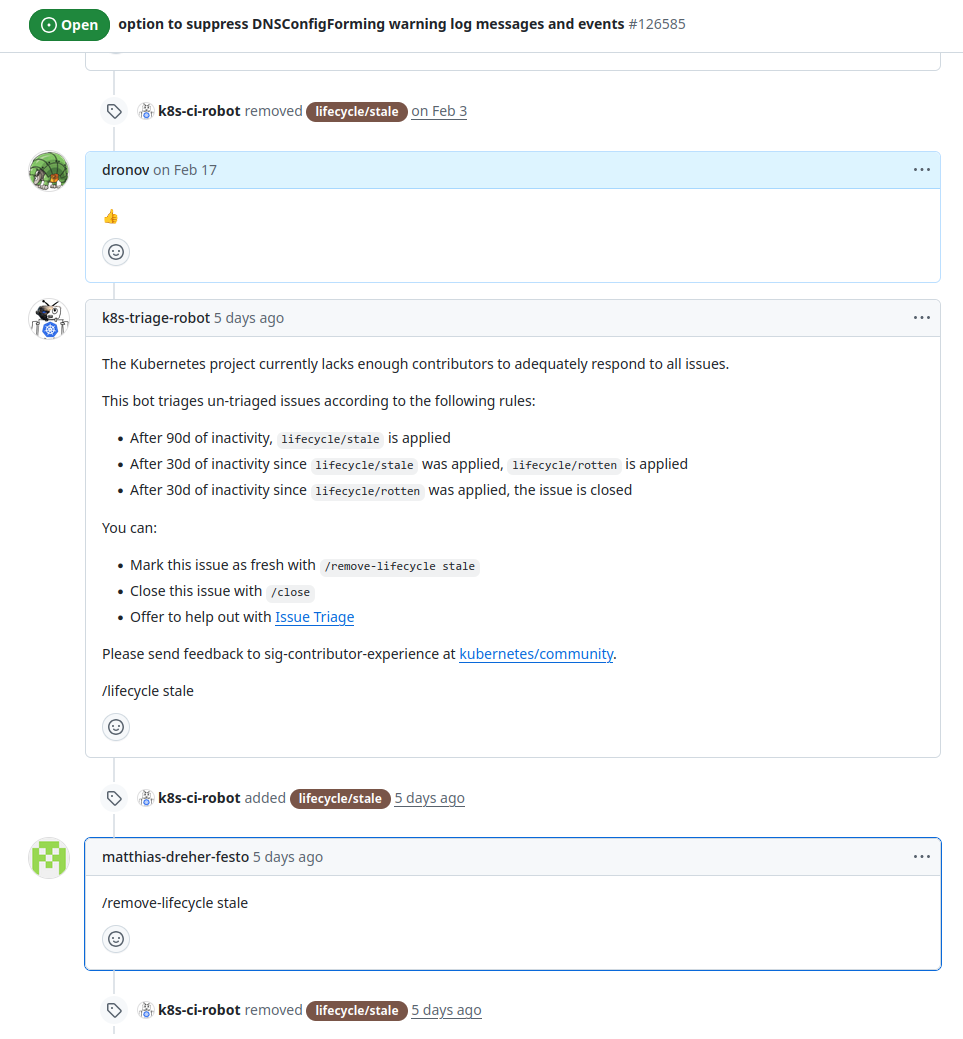
Достаточно долгое время я следил за issue, которая описывала один в один события в events k8s, с которыми я столкнулся. Автор предлагал сделать меньше количество таких варнингов, так как их количество превышало толк
Буквально на днях в issue появилась активность, но увы: на issue не было реакции со стороны контрибьюторов, что значит, конфигурацию DNS на новых нодах придётся периодически подпиливать.
Дополнительные материалы
https://kubernetes.io/docs/tasks/administer-cluster/dns-debugging-resolution/#known-issues
How many DNS servers can you set in the operating system?
In Linux, you can set 3 DNS servers in /etc/resolv.conf. The others will be ignored. This is written in a comment in /etc/resolv.conf, and usually it does not cause any discomfort.
But recently I found tons of DNSConfigForming warnings in the events of a k8s cluster in Hetzner Cloud/Robot:
Nameserver limits were exceeded, some nameservers have been omitted, the applied nameserver line is:
How did this even happen: Hetzner, as an infrastructure vendor, can send several DNS nameservers via DHCP to your machine. Specifically, 3 IPv4 resolvers and 3 IPv6 resolvers. Nothing magical here.
In Linux distros the 3 DNS server limit in /etc/resolv.conf has existed for as long as I can remember. After all this time, this limitation doesn't really bother me. But right now, this warning appears very often in k8s events. If you need to find something urgently in the logs, you have to visually skip all the messages about exceeding the 'DNS limit'. And they appear constantly and in huge numbers.
How it works
When a Linux program wants to resolve a domain name into an IP address, it does not read /etc/resolv.conf directly. Instead, it calls library functions like getaddrinfo() or gethostbyname() (which was used earlier). These functions use data structures and constants from the resolv.h (or res_state.h) header file. All of this is described in glibc/libc.
This is how it looks in mainline glibc (the URL points to an unofficial fork):
res_state.h
#ifndef __res_state_defined
#define __res_state_defined 1

#include <sys/types.h>
#include <netinet/in.h>

/* res_state: the global state used by the resolver stub.  */
#define MAXNS			3	/* max # name servers we'll track */
#define MAXDFLSRCH		3	/* # default domain levels to try */
#define MAXDNSRCH		6	/* max # domains in search path */
#define MAXRESOLVSORT		10	/* number of net to sort on */

struct __res_state {
	int	retrans;		/* retransmission time interval */
	int	retry;			/* number of times to retransmit */
	unsigned long options;		/* option flags - see below. */
	int	nscount;		/* number of name servers */
	struct sockaddr_in
		nsaddr_list[MAXNS];	/* address of name server */
Historical background
The 3 DNS server limit appeared in glibc a long time ago. But how long ago exactly? It goes back so far that the history of resolv.h starts with early versions of BSD.
git clone https://sourceware.org/git/glibc.git
git log --reverse resolv/resolv.h
git show 28f540f45bbacd939bfd07f213bcad2bf730b1bf
The history of the glibc Git repository shows this version and the appearance of MAXNS in:
+ * @(#)resolv.h 8.1 (Berkeley) 6/2/93
But the roots of resolv.conf go back to the days when Linus Torvalds hadn't even written Git yet. At first, I thought about looking for old versions of Unix, but I kept finding Git repositories and code from around 1993, such as include/resolv.h:
/*
 * Global defines and variables for resolver stub.
 */
#define	MAXNS			3	/* max # name servers we'll track */
#define	MAXDFLSRCH		3	/* # default domain levels to try */
#define	MAXDNSRCH		6	/* max # domains in search path */
#define	LOCALDOMAINPARTS	2	/* min levels in name that is "local" */
However, a quick search brings up a mailing list of internet history, where one of the BSD authors clears things up:
Someone pointed out to me that I did the code check-in to the source code repository for UC Berkeley CSRG (BSD) in October 1985. Code change set MAXNS to 3. Now someone over 35 years is questions why. I would say setting it to 3 has stood the test of time.
MAXNS is in the resolver code, designed to be fairly light weight since it lives in libC. If you wanted DNS caching you put a recursive caching only name server on the local system that would do all the real resolution work and cache the results for other DNS resolutions.
Back in 1985 named, name server, would occasionally crash. So by setting MAXNS to three would give the resolver the opportunity to try the localhost name server and two backups. Hopefully, you set the two backup nameservers to ones in you LAN. Setting to nameservers across the internet would not result in speedy name resolution.
The 3 DNS server problem has come up many times over the long time since 1985.
https://bugs.launchpad.net/ubuntu/+source/glibc/+bug/118930
https://superuser.com/questions/417519/dns-resolver-improvements
https://askubuntu.com/questions/1157265/how-do-i-allow-more-than-3-dns-servers-in-ubuntu-16
https://access.redhat.com/solutions/142493
Workaround solution
Why can’t we just rebuild libc/glibc with a larger MAXNS? The problem is that the size of the res_state structure is hardcoded into millions of programs that are already compiled. If we change MAXNS from 3 to 10 in a new glibc version, the size of the nsaddr_list array will grow. This means the total size of the __res_state structure will change too. If you update glibc but do not rebuild the applications, the old software will expect __res_state to have the wrong amount of memory. This breaks binary compatibility (ABI). Even though glibc does not have an official 'ABI expiration date', in practice, libc maintains stability with older versions for 20 to 25 years.
What did people come up with to bypass this limit?
To make a long story short, there are not many options except using a local DNS resolver. In the past, people used dnsmasq, but today, systemd-resolved solves this problem for you.
Why did this warning about DNS nameservers appear in k8s?
It turned out that the nodes in the newly deployed k8s cluster were not looking for DNS in /etc/resolv.conf, but in a stub file used by systemd-resolved. Switching to the system /etc/resolv.conf fixed the problem with the constant alerts about exceeding the system limit of 3 DNS nameservers.
Is it possible to make this alert less annoying in k8s?
For quite a long time, I followed an issue that described exactly the same k8s events I was facing. The author suggested reducing the number of these warnings, because there were too many of them to be useful.
Just a few days ago, there was some activity in the issue, but unfortunately, there was no response from the contributors. This means we will have to tweak the DNS configuration on new nodes from time to time.
Additional materials
https://kubernetes.io/docs/tasks/administer-cluster/dns-debugging-resolution/#known-issues